
Appearance
C++ gameplay quick start
Mass Forge exposes the same supported gameplay path to C++ and Blueprint. The public Blueprint function libraries are ordinary public C++ APIs, so a project module can call them directly and receive the same generation-safe handles and structured outcomes shown in the Blueprint tutorials.
This page uses designer-authored Data Assets for configuration and C++ for orchestration. It does not construct schemas, abilities, or damage formulas in code.
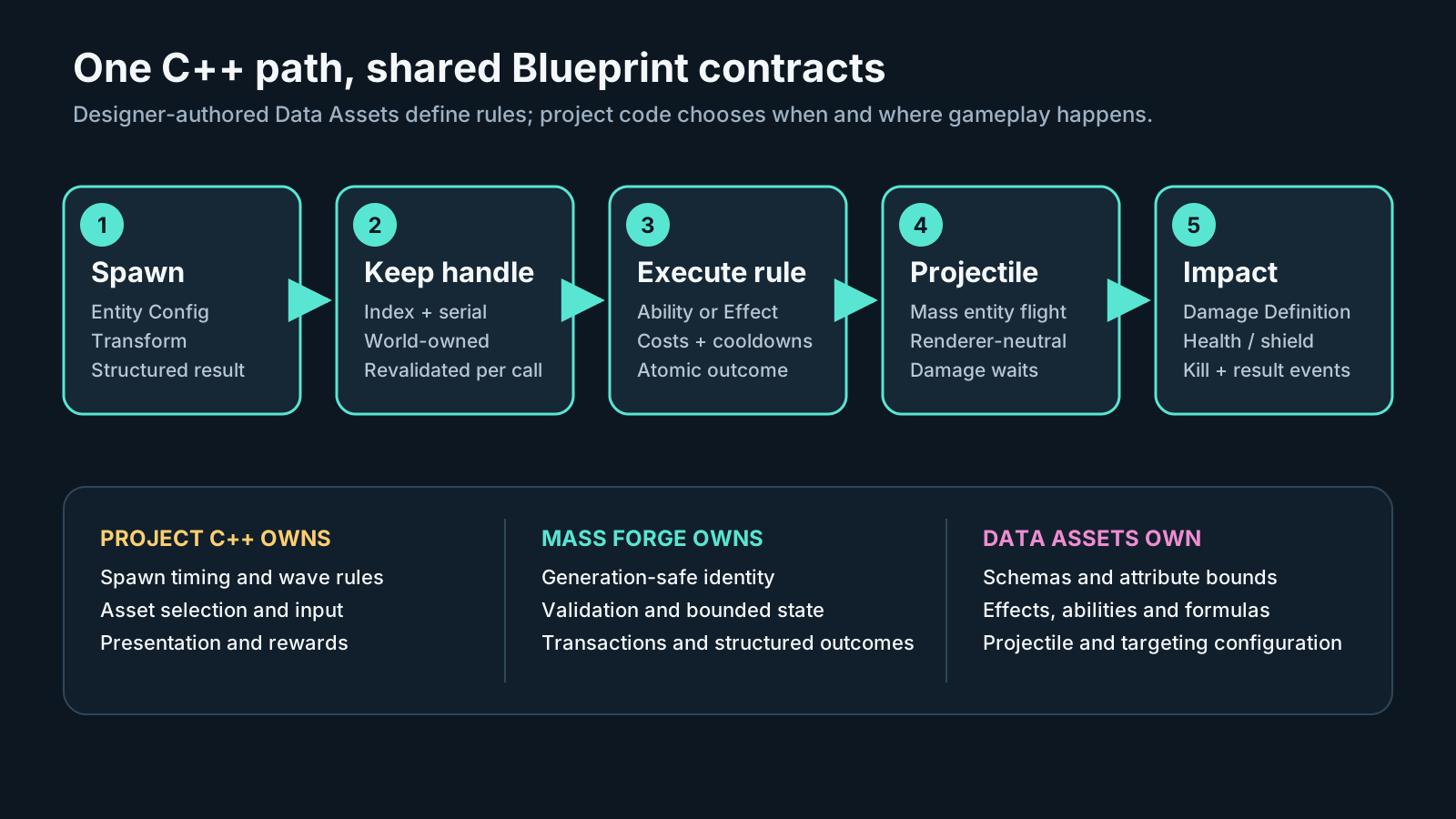
Read this left to right before copying code. Project C++ owns encounter rules and presentation, editable Data Assets own configuration, and Mass Forge owns generation-safe identity, validation, bounded state, and structured transactions.
Module setup
Add the plugin modules used by the project to the project's Build.cs:
csharp
PublicDependencyModuleNames.AddRange(new[]
{
    "MassForge",
    "MassEntity",
    "MassSpawner"
});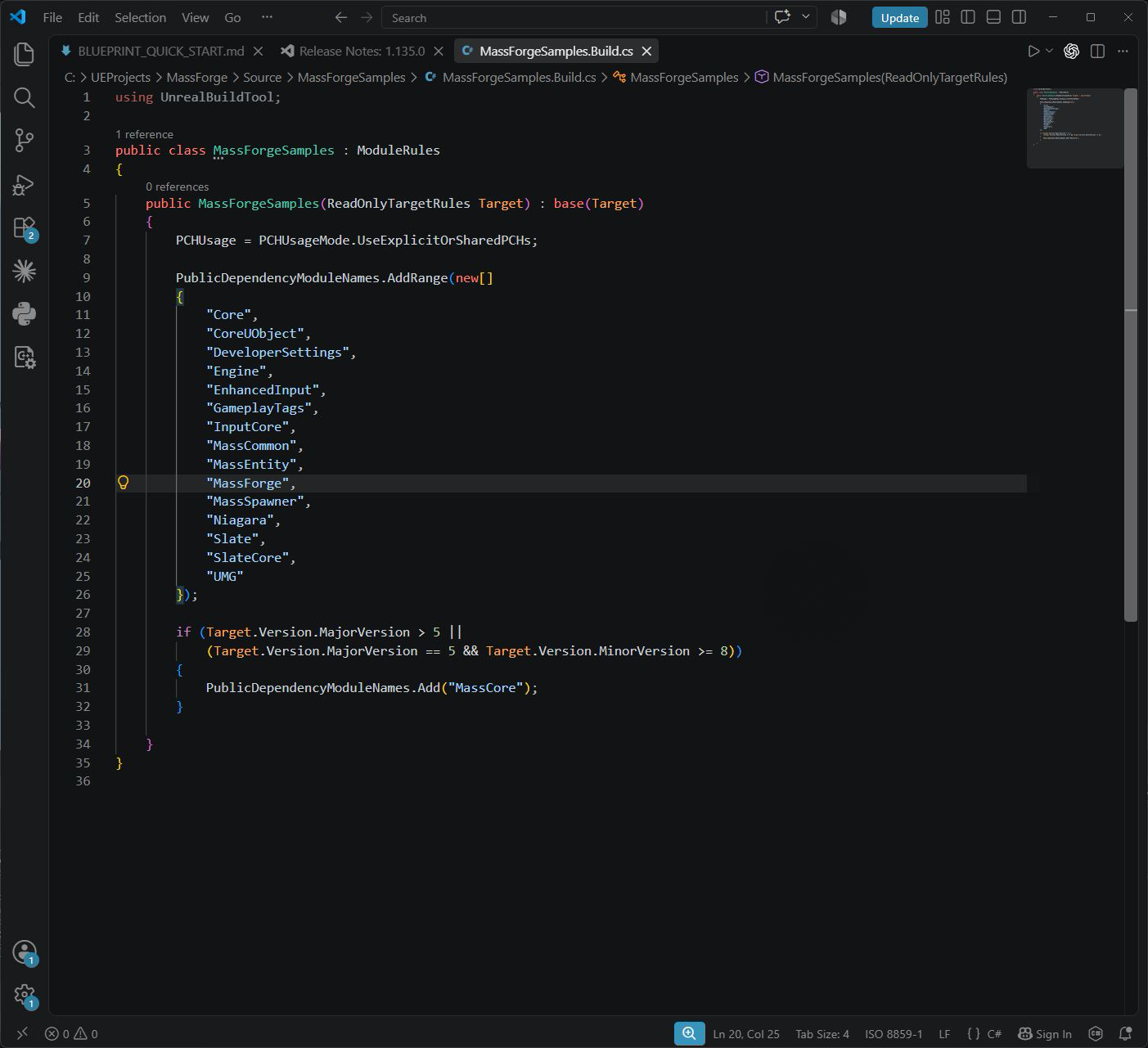
Add the modules to the consumer module that owns the gameplay code. MassForge exposes the supported gameplay API, while Unreal's MassEntity and MassSpawner provide the native entity configuration and spawn types used by the example.
Include only public headers. A gameplay class that follows the complete example below needs:
cpp
#include "Blueprint/MF_AbilityBlueprintLibrary.h"
#include "Blueprint/MF_AbilityTargetingBlueprintLibrary.h"
#include "Blueprint/MF_AttributeBlueprintLibrary.h"
#include "Blueprint/MF_DamageBlueprintLibrary.h"
#include "Blueprint/MF_EntityBlueprintLibrary.h"
#include "Blueprint/MF_EntityInspectionBlueprintLibrary.h"
#include "Blueprint/MF_EntityStateBlueprintLibrary.h"
#include "Blueprint/MF_ProjectileBlueprintLibrary.h"
#include "Data/MF_AbilityData.h"
#include "Data/MF_DamageDefinitionData.h"
#include "Data/MF_InstantEffectData.h"
#include "MassEntityConfigAsset.h"Never include a file from a Private directory. FMFEntityHandle is the supported index-and-serial identity; do not store a raw entity index or rebuild a handle from partial data.
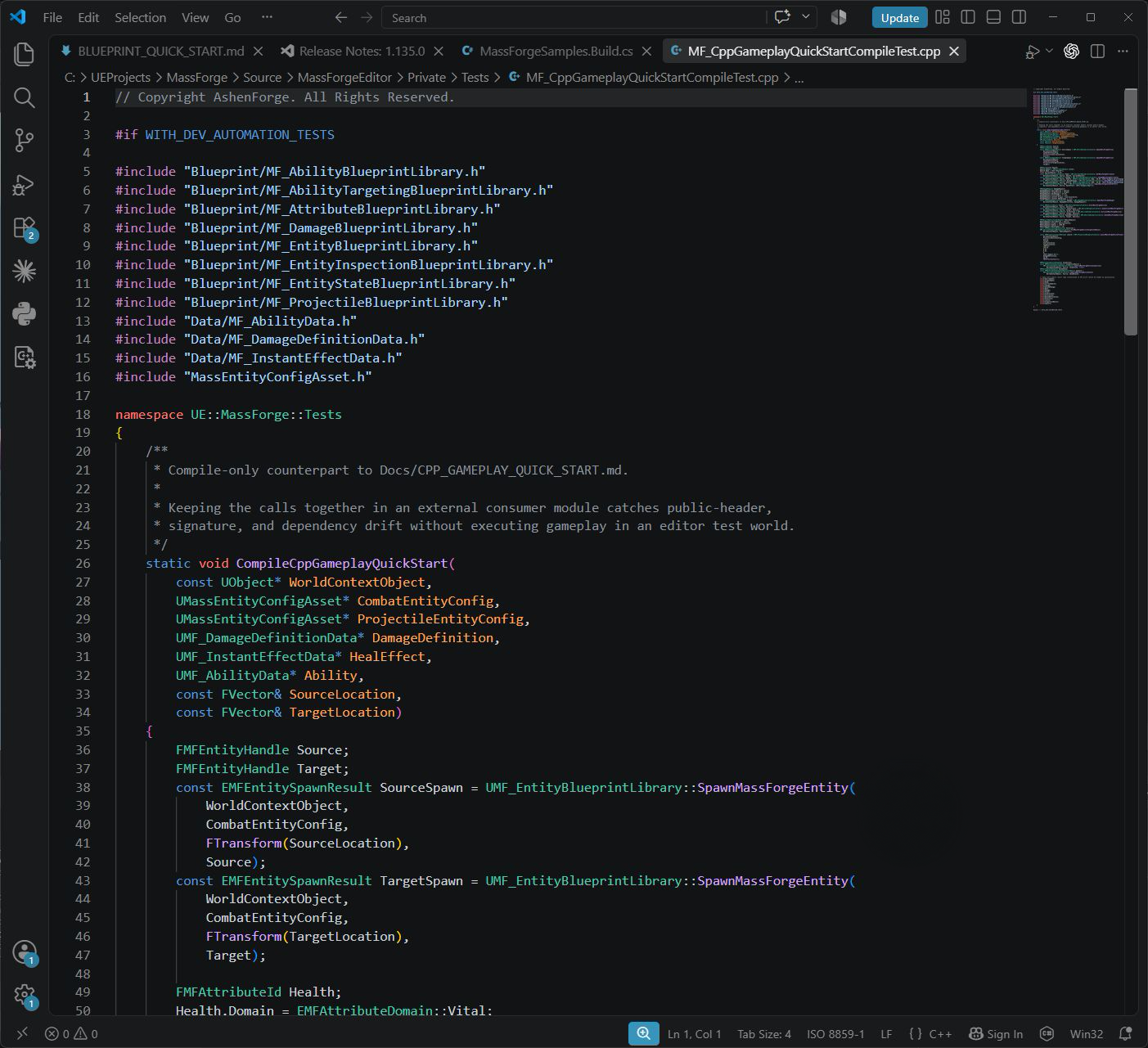
The include paths begin at the plugin's public boundary. The checked source intentionally includes and instantiates every public type used below, so public-header, module-dependency, and signature drift fails the release compile test.
Author the data first
Use the Entity Config wizard or duplicate the assets in /MassForge/BlueprintExamples/Data into project Content. Keep these as editable project-owned inputs:
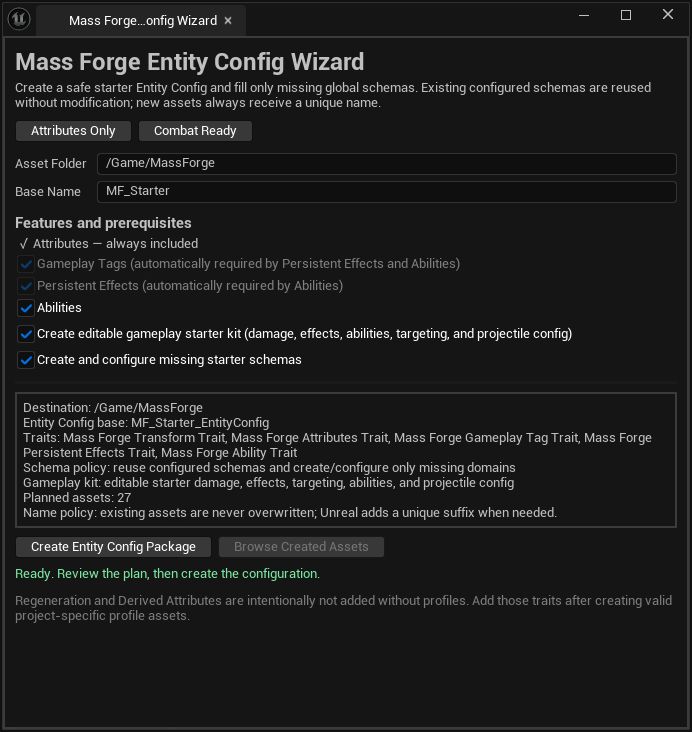
C++ orchestration consumes the same editable Entity Config, schemas, definitions, effects, abilities, and projectile config as Blueprint. Combat Ready is a starting package, not generated gameplay code.
- a Combat Ready Mass Entity Config with the Transform, Attributes, Gameplay Tags, Effects, and Ability traits required by the intended gameplay;
- Vital, Combat, and Support schemas;
- a Damage Definition;
- Instant/Persistent Effects;
- Ability Data Assets;
- a projectile Entity Config with the Mass Forge Transform and Projectile traits.
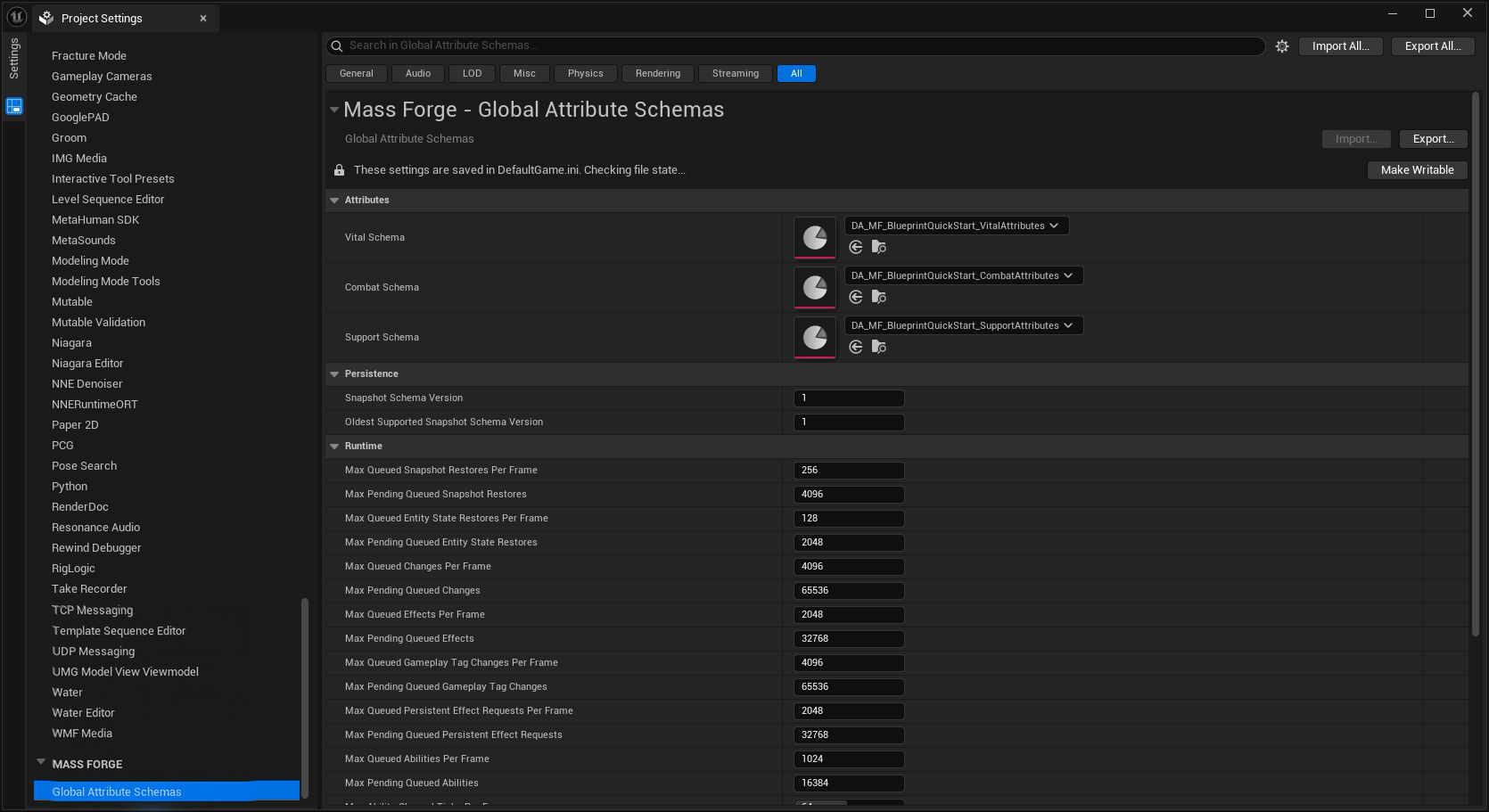
Verify these project-wide assignments before resolving attribute IDs in C++. The names used below must exist uniquely in the configured schemas.
The C++ examples below assume those assets are assigned through UPROPERTY references. Do not synchronously load gameplay assets inside a Mass processor loop.
Spawn generation-safe entities
cpp
FMFEntityHandle Source;
const EMFEntitySpawnResult SpawnResult =
    UMF_EntityBlueprintLibrary::SpawnMassForgeEntity(
        this,
        CombatEntityConfig,
        GetActorTransform(),
        Source);

if (SpawnResult != EMFEntitySpawnResult::Success)
{
    // Surface the exact enum in diagnostics or UI.
    return;
}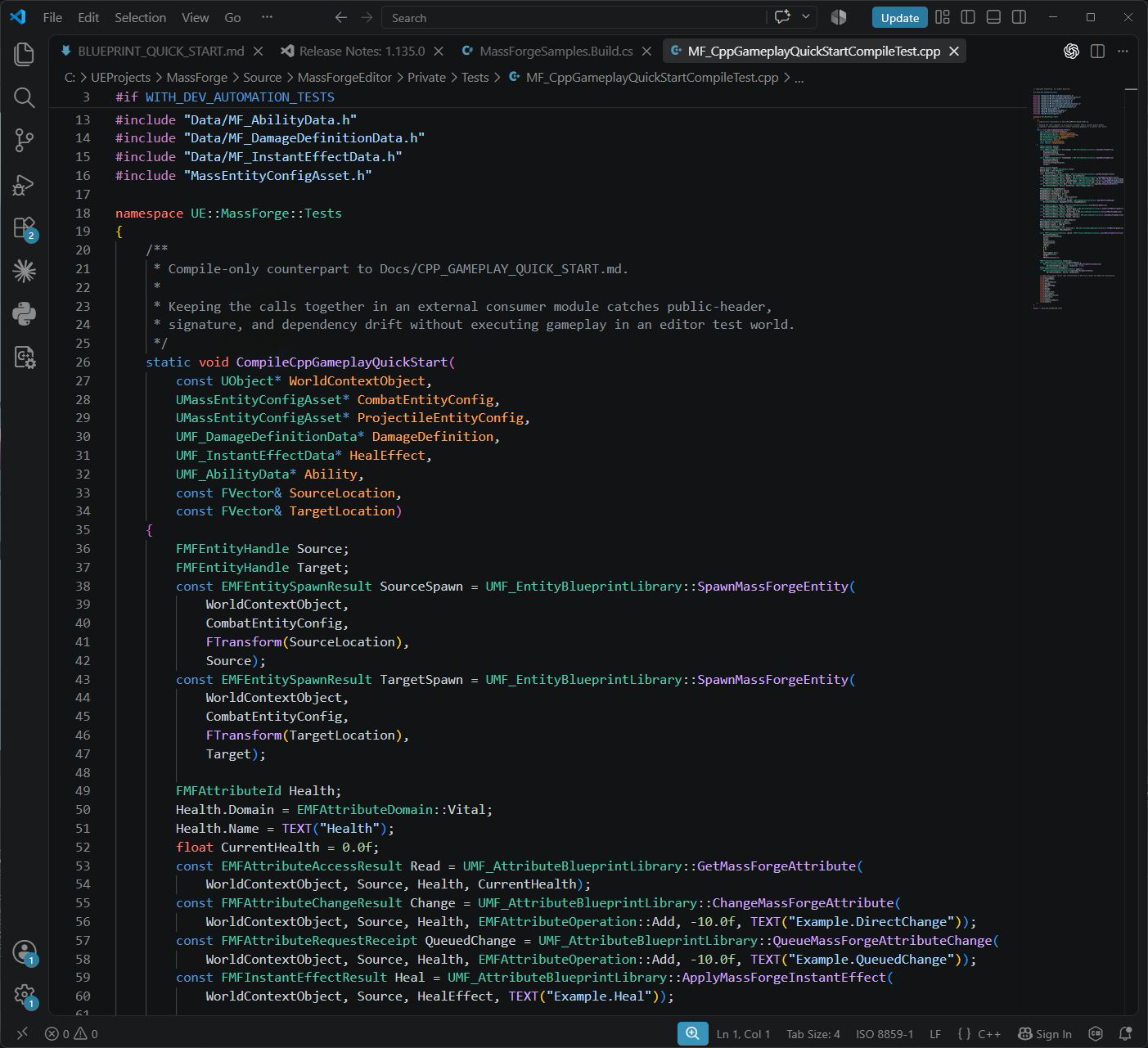
Spawning returns two things with different jobs: an explicit outcome for the current request and a complete generation-safe handle for future work. Preserve both; never infer success from a raw index.
this is any object with the intended gameplay world. Use SpawnMassForgeEntities for a bounded list of transforms. That convenience path is capped at 10,000 returned handles; large population creation belongs in a project-owned C++ Mass spawning path.
Before a later operation, IsMassForgeEntityValid(this, Source) is a convenient predicate. Every Mass Forge operation still revalidates the full handle itself. DestroyMassForgeEntity is immediate and therefore valid only while Mass is idle.
Read and change an attribute
cpp
FMFAttributeId Health;
Health.Domain = EMFAttributeDomain::Vital;
Health.Name = TEXT("Health");

float CurrentHealth = 0.0f;
const EMFAttributeAccessResult ReadResult =
    UMF_AttributeBlueprintLibrary::GetMassForgeAttribute(
        this, Source, Health, CurrentHealth);

if (ReadResult == EMFAttributeAccessResult::Success)
{
    const FMFAttributeChangeResult Change =
        UMF_AttributeBlueprintLibrary::ChangeMassForgeAttribute(
            this,
            Source,
            Health,
            EMFAttributeOperation::Add,
            -10.0f,
            TEXT("Example.DirectChange"));

    if (!Change.WasSuccessful())
    {
        // Inspect Change.Result and Change.Attribute.
    }
}The direct path is for a known Mass-idle point. For general game-thread orchestration, queue the request and retain the receipt ID:
cpp
const FMFAttributeRequestReceipt Receipt =
    UMF_AttributeBlueprintLibrary::QueueMassForgeAttributeChange(
        this,
        Source,
        Health,
        EMFAttributeOperation::Add,
        -10.0f,
        TEXT("Example.QueuedChange"));

if (!Receipt.WasAccepted())
{
    // No completion will arrive. Handle queue-full or validation failure now.
}Bind once to UMF_AttributeSubsystem::OnAttributeRequestCompletedNative and correlate its completion by RequestId. Acceptance is not execution success: the target and schema are validated again in the deterministic deferred phase.
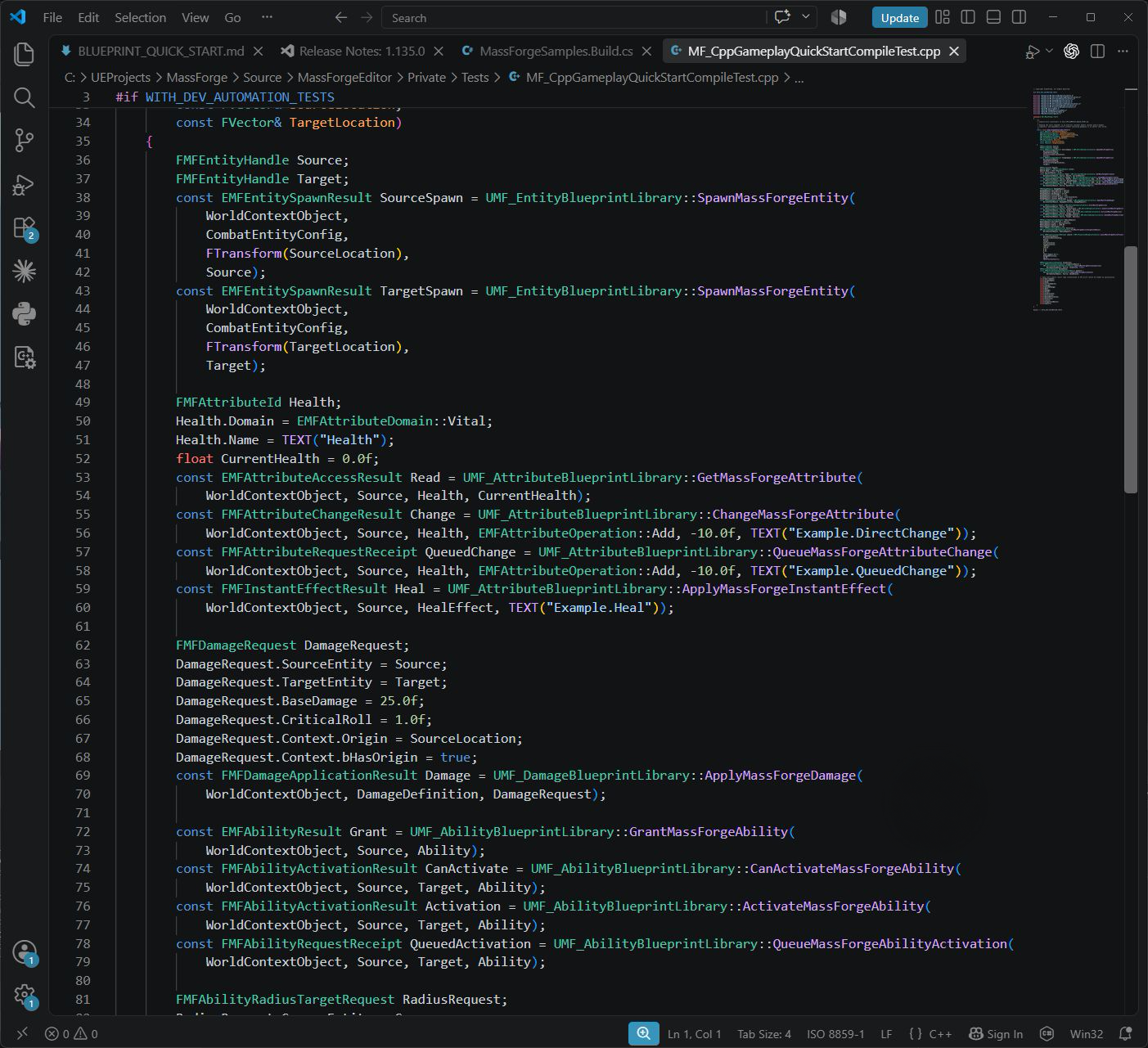
The compile-checked counterpart keeps the ordinary gameplay sequence in one readable frame. Every operation retains its typed result or receipt; none is collapsed into an unchecked boolean.
Apply reusable healing and effects
cpp
const FMFInstantEffectResult HealResult =
    UMF_AttributeBlueprintLibrary::ApplyMassForgeInstantEffect(
        this,
        Source,
        HealEffect,
TEXT("Example.Heal"));Use the queued equivalent when overlap with Mass processing is possible. Prefer an Effect over a raw attribute change when the operation has several atomic modifiers, gameplay tags, source context, or a reusable designer-authored identity.
Deal deterministic damage
cpp
FMFDamageRequest Request;
Request.SourceEntity = Source;
Request.TargetEntity = Target;
Request.BaseDamage = 25.0f;
Request.CriticalRoll = 1.0f;
Request.Context.Origin = GetActorLocation();
Request.Context.bHasOrigin = true;

const FMFDamageApplicationResult Damage =
    UMF_DamageBlueprintLibrary::ApplyMassForgeDamage(
        this,
        DamageDefinition,
        Request);

if (Damage.WasSuccessful())
{
    // Damage.HealthAfter, Damage.ShieldAfter, Damage.bCritical, Damage.bKilled.
}The result contains the resolved formula stages, policy decision, attribute transaction, death request, and failure location. Use QueueMassForgeDamage outside a guaranteed Mass-idle point and correlate OnDamageRequestCompletedNative by request ID.
Ordinary Actors can use ApplyMassForgeActorDamageToEntity; entity-to-entity combat uses ApplyMassForgeEntityDamageToEntity. These are convenience constructors around the same canonical request.
Grant and activate an ability
cpp
const EMFAbilityResult GrantResult =
    UMF_AbilityBlueprintLibrary::GrantMassForgeAbility(
        this, Source, Ability);

if (GrantResult == EMFAbilityResult::Success)
{
    const FMFAbilityActivationResult Check =
        UMF_AbilityBlueprintLibrary::CanActivateMassForgeAbility(
            this, Source, Target, Ability);

    if (Check.WasSuccessful())
    {
        const FMFAbilityActivationResult Activation =
            UMF_AbilityBlueprintLibrary::ActivateMassForgeAbility(
                this, Source, Target, Ability);
    }
}Activation is atomic across costs, cooldowns, charges, tags, effects, and authored execution behavior. A cast or channel returns a started lifecycle rather than pretending the final effect committed immediately.
For ordinary runtime orchestration, prefer QueueMassForgeAbilityGrant and QueueMassForgeAbilityActivation. Bind once to UMF_AbilitySubsystem::OnAbilityOperationRequestCompletedNative, then match the positive request ID. Cancellation and interruption share that ordered request channel.
Select actorless or represented targets
cpp
FMFAbilityRadiusTargetRequest Query;
Query.SourceEntity = Source;
Query.Origin = GetActorLocation();
Query.Radius = 1200.0f;
Query.MaxTargets = 16;
Query.bExcludeSource = true;

const FMFAbilityTargetSelection Selection =
    UMF_AbilityTargetingBlueprintLibrary::FindMassForgeAbilityTargetsInRadius(
        this, Query);

for (const FMFAbilityTargetCandidate& Candidate : Selection.Targets)
{
    const FMFEntityHandle TargetEntity = Candidate.Entity;
    // Candidate.RepresentedActor is optional; actorless entities remain valid targets.
}Radius and segment queries are bounded and deterministic. Use SelectMassForgeAbilityTargetsWithProvider when a project owns a more specialized C++/Blueprint targeting rule; Mass Forge validates, de-duplicates, and bounds the returned handles.
Launch a gameplay projectile
cpp
const FMFProjectileLaunchReceipt Launch =
    UMF_ProjectileBlueprintLibrary::LaunchMassForgeEntityProjectile(
        this,
        ProjectileEntityConfig,
        Source,
        Target,
        MuzzleLocation,
        TargetLocation,
        1800.0f,             // speed
        120.0f,              // arc height
        0.0f,                // launch delay
        8.0f,                // maximum lifetime
        0,                   // presentation channel
        TEXT("Impact.Arc"),
        DamageDefinition,
        25.0f,
        FMFEffectContext());

if (!Launch.WasSuccessful())
{
    // No projectile exists; inspect Launch.Result.
}Damage commits when Mass Forge resolves impact, not at launch. Gameplay state remains in the projectile subsystem; visuals consume GetMassForgeProjectileSnapshots. Use Niagara, HISM, or an Actor pool for production populations. PresentFirstMassForgeProjectile is intentionally only a small-scene teaching helper.
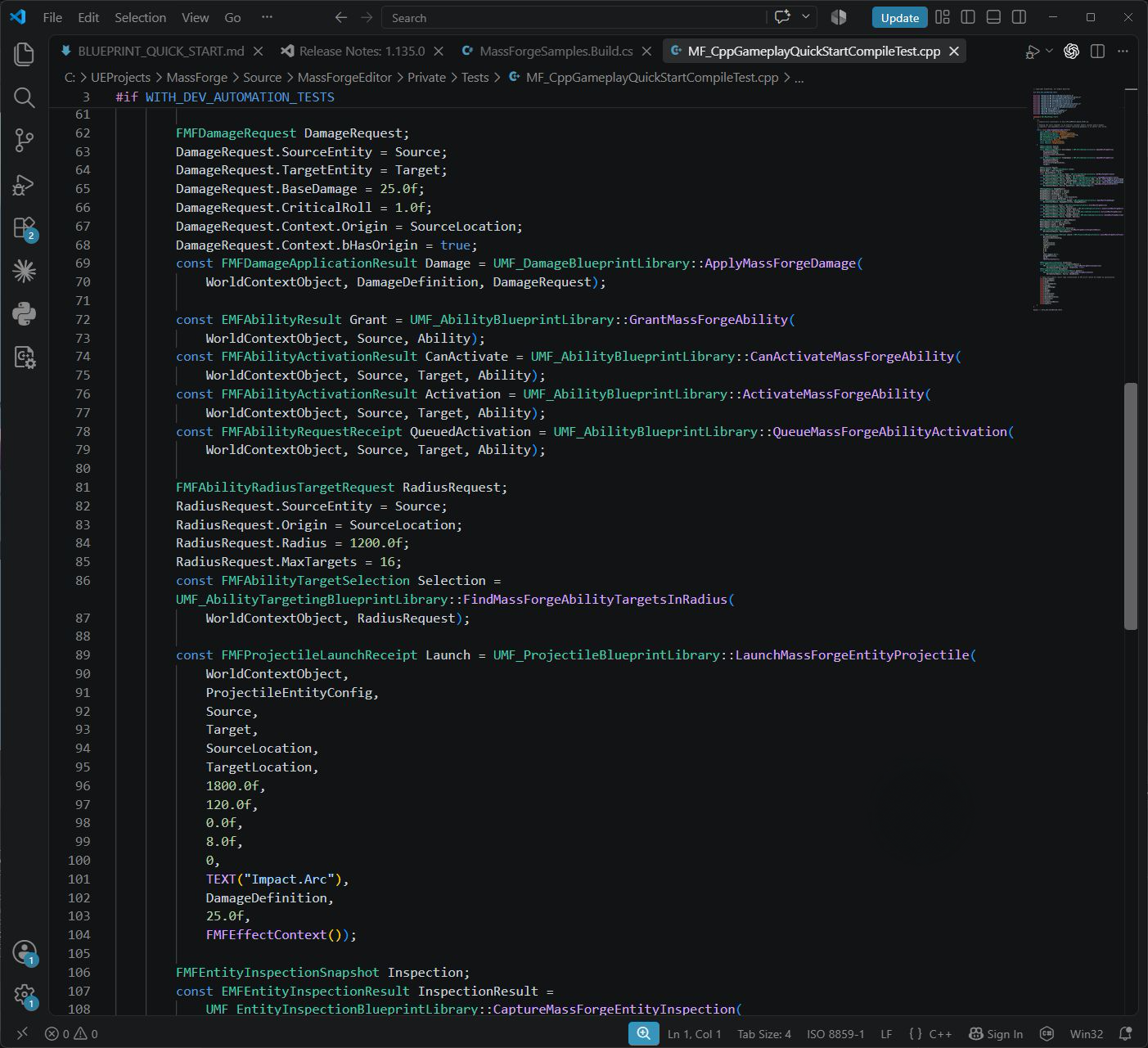
Selection produces bounded generation-safe candidates; launch owns flight and impact resolution. The authored damage definition is passed into the projectile so damage is committed at impact instead of being applied invisibly when the button is pressed.
Inspect and persist state
cpp
FMFEntityInspectionSnapshot Inspection;
const EMFEntityInspectionResult InspectionResult =
    UMF_EntityInspectionBlueprintLibrary::CaptureMassForgeEntityInspection(
        this, Source, Inspection, true);

FMFEntityStateSnapshot SavedState;
const FMFEntityStateSnapshotOperationResult Capture =
    UMF_EntityStateBlueprintLibrary::CaptureMassForgeEntityState(
this, Source, SavedState);Store the snapshot in the project's save format, not the entity handle. Recreate an entity in the destination world, then restore at a known Mass-idle point with RestoreMassForgeEntityState, or queue QueueMassForgeEntityStateRestore. Active externally targeted casts/channels require the documented project-owned relationship key and lifecycle target binding.
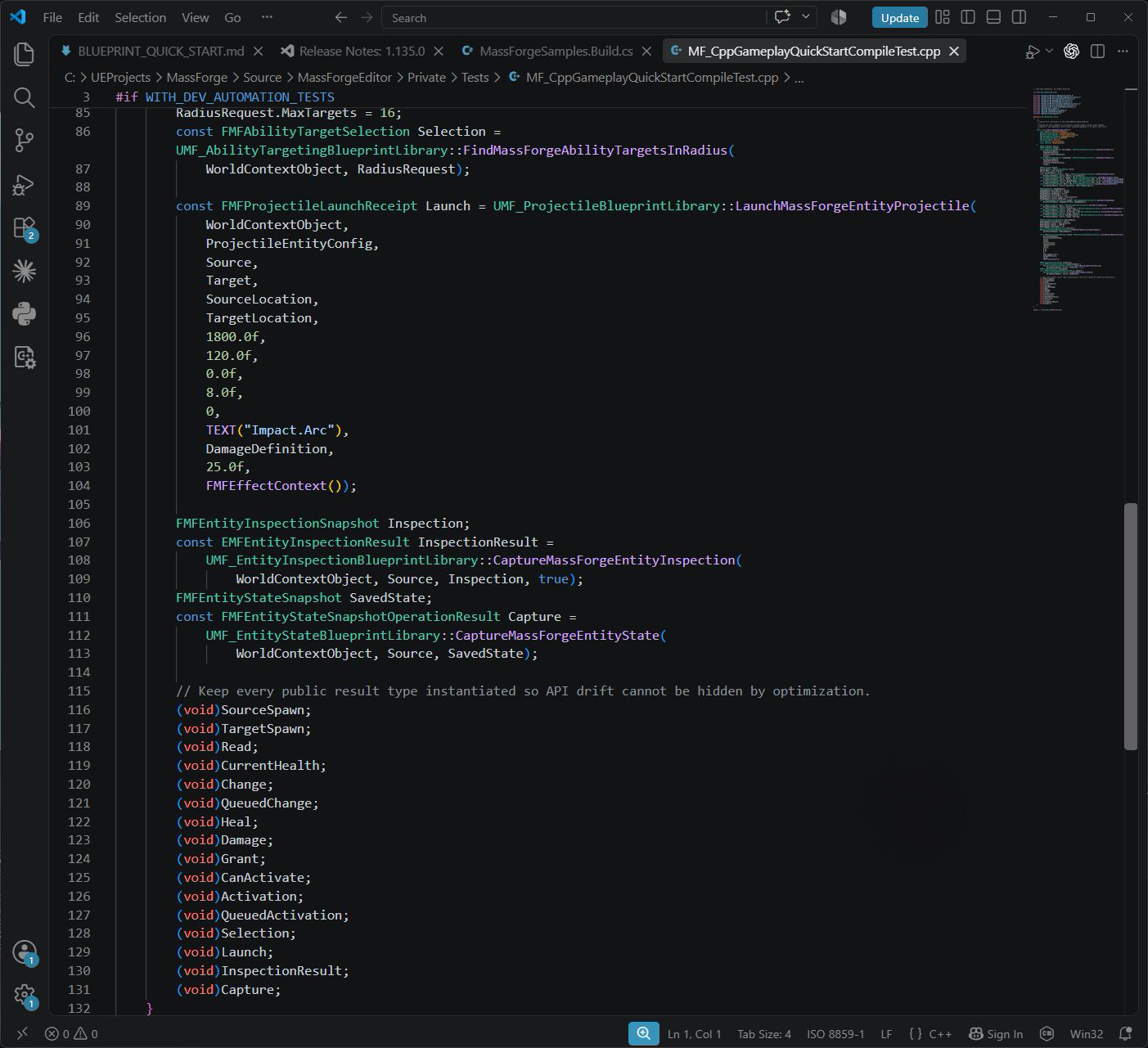
Inspection is an observation surface; persistence captures a portable value. The current world handle is deliberately not the save identity and must not be serialized as if it survives recreation.
Blueprint and C++ parity
| Task | Blueprint | Ordinary C++ | Processor/high-volume C++ |
|---|---|---|---|
| Spawn a small population | Entity spawn nodes | Same static public functions | Project Mass spawning path |
| Read/change one attribute | Direct or async nodes | Direct or queued public API | Compiled attribute + fragment view |
| Effects/damage/abilities | Direct or async nodes | Direct or queued public API | Bounded commands or high-volume effect table |
| Target selection | Radius, trace, provider nodes | Same public APIs | Project query/processor with bounded handoff |
| Projectile gameplay | Launch async/convenience nodes | Same public APIs/subsystem | Projectile trait + built-in processor |
| Presentation | Blueprint events/snapshots | Native delegates/snapshots | Collect bounded presentation state; render elsewhere |
| Save/restore | Snapshot nodes | Same public APIs | Perform outside processor hot loops |
| Inspection | Inspector and capture node | Capture API/native providers | Never inspect every entity every frame |
Intentionally C++-only work
Blueprint is supported for authoring and ordinary gameplay orchestration. C++ is required or strongly preferred when the work itself is high-volume: custom Mass processors, direct fragment iteration, compiled attribute bindings, populations above the Blueprint batch limit, project representation processors, and renderer-specific Niagara/HISM upload paths.
That boundary prevents per-entity reflection, allocation, delegate broadcasts, and large Blueprint arrays from becoming the scale limit. It does not create a second gameplay model; both paths use the same schemas, Data Assets, entity identity, and result contracts.
Continue with C++ high-volume attribute access, architecture, deferred commands, Mass projectiles, and entity-state persistence.